

Choosing the right type of visual
Start with what is easiest to understand.
- Some people understand best with real objects
- Others can use photos of real items
- Some can understand drawings or symbols
- Some prefer written words
You can also use:
- digital visuals on a phone or tablet
- printed visuals on paper or card
You can make your own using:
- photos on your phone
- pictures from magazines
- printed images
- simple drawings
You can change the type of visual over time as understanding grows.
If you are an adult supporting a child who is still learning language, use speech at the same time as showing the visual. This helps the child link what they hear with what they see, which supports memory and helps them learn new words.
An exception is when someone is very distressed (for example, in a meltdown or shutdown). In this situation, keep communication minimal. Let them know you are there if needed, and avoid giving instructions. A simple visual can still be useful, for example a reminder of a known support strategy (such as “squeeze a towel when angry”).
Using visuals in everyday life
Visuals can help in many situations where spoken language is hard to process, remember, or use. They can make everyday communication clearer, calmer, and more predictable.
Understanding what is happening next
Use visuals to show the plan for the day or steps in a routine
Example: Aisha finds it hard when plans change. She uses a visual timetable with pictures of her day. This helps her feel calmer and know what to expect.
Following instructions
Use pictures to show each step of a task.
Example: Ben finds spoken instructions hard to remember. He uses a step-by-step picture guide for getting ready in the morning. This helps him complete tasks on his own.
Making choices
Use photos or symbols to show different options.
Example: Charlie finds it hard to choose from spoken options. They use a choice board with photos of snacks. This helps them clearly show what they want.
Understanding spoken language
Use a picture alongside words to make meaning clearer.
Example: Dylan finds long sentences confusing. His support worker uses pictures alongside speech. This helps him understand more of what is said.
Remembering information
Use visuals instead of relying on spoken reminders.
Example: Eva finds it hard to remember verbal reminders. She uses a visual checklist on her phone. This helps her remember what she needs to do.
Preparing for changes
Show pictures of new places, people, or activities in advance.
Example: Farah worries about new places. Before an appointment, she looks at photos of the building and room. This helps her feel more prepared.
Managing anxiety or uncertainty
Use clear visuals to show what is happening and what comes next.
Example: George feels anxious when he does not know what is happening. He uses a “now and next” board. This helps him feel more in control.
Expressing needs, wants, or feelings
Use pictures or symbols to help someone communicate.
Example: Harper finds it hard to say how they feel. They use a feelings chart with symbols. This helps them show their emotions more easily.
Understanding social situations
Use visuals to show rules, turn-taking, or what to say.
Example: Imran finds social rules unclear. He uses simple visual prompts for conversations. This helps him join in more confidently.
Supporting independence
Use visual checklists so tasks can be done without reminders.
Example: Jade relies on reminders from others. She uses a visual routine chart at home. This helps her manage daily tasks on her own.
Reminders and prompts
Visuals can act as simple reminders of what to do. They can also show what has already been completed.
Example: Sam uses a visual checklist in the morning (get dressed, brush teeth, pack bag). He ticks each step when it is done, so he can see what is left.
Seeing achievements (visual log)
Use visuals to record what has been done or achieved. This can build confidence and motivation.
Example: Aisha keeps a weekly visual chart of activities she has completed (college, cooking, meeting a friend). At the end of the week, she can see everything she has done and feel proud.
Coping plans and emotional support
Use visuals to show what to do in difficult moments.
Example: When Leo feels anxious, he uses a small visual card with steps: breathe slowly, sit in a quiet space, message a trusted person.
You can also use visuals to remind someone of positive things.
Example: Maya has a board with photos of favourite activities, supportive people, and comforting items to look at when her mood is low.
Ideas for free time
Use a visual board to show activity options.
Example: Jake has a “what I can do” board in his room with choices like go for a walk, draw, play a game, or watch a favourite show, which helps when he feels bored or unsure what to do.
Tips for using visuals
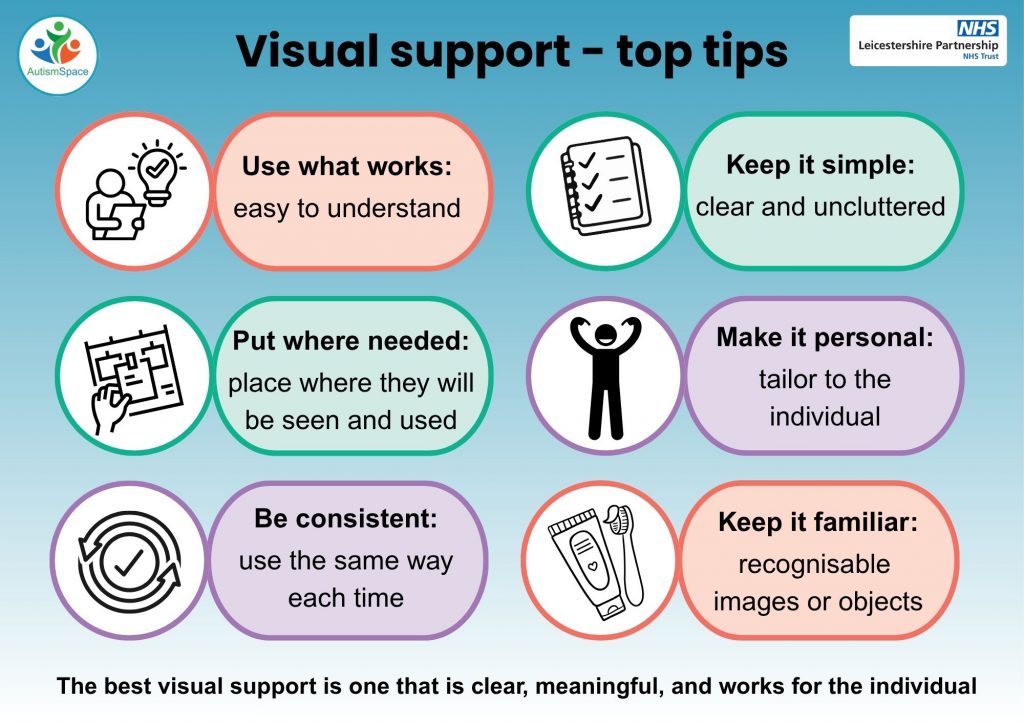
For a downloadable PDF, click here: Top tips for visual support
- Keep visuals clear and simple
- Use real and familiar images when possible
- Match the visual to the person’s level of understanding
- Use visuals consistently
- Place visuals where they are easy to see
- Check that the person knows what the visual means
- You may need to teach the meaning at first by showing and using the visual together.
If you are an autistic adult, visuals can help you:
- manage daily tasks
- reduce stress
- plan your day
- communicate your needs
If you are a parent or carer, visuals can help you:
- give clearer instructions
- support independence
- reduce reliance on repeated verbal prompts
- create more predictable routines
Key points
- Visual supports are a simple and flexible way to make everyday life more manageable, predictable, and clear.
- Use clear, simple visuals that match the person’s understanding
- Use visuals for routines, communication, emotions, and planning
- Visuals can reduce stress, confusion, and can support speech
- They can support both autistic adults and children
- You can make your own visuals using low-cost materials
- It is important to adapt visuals to each person’s individual needs